 RhyTimeTürkçe
Calendar · Habits · Focus
Find the rhythm of your day.
Your calendar, habits, priorities and focus time, together in a calm daily planner. Fewer places to check. More room for the day ahead.
Get RhyTime on Google Play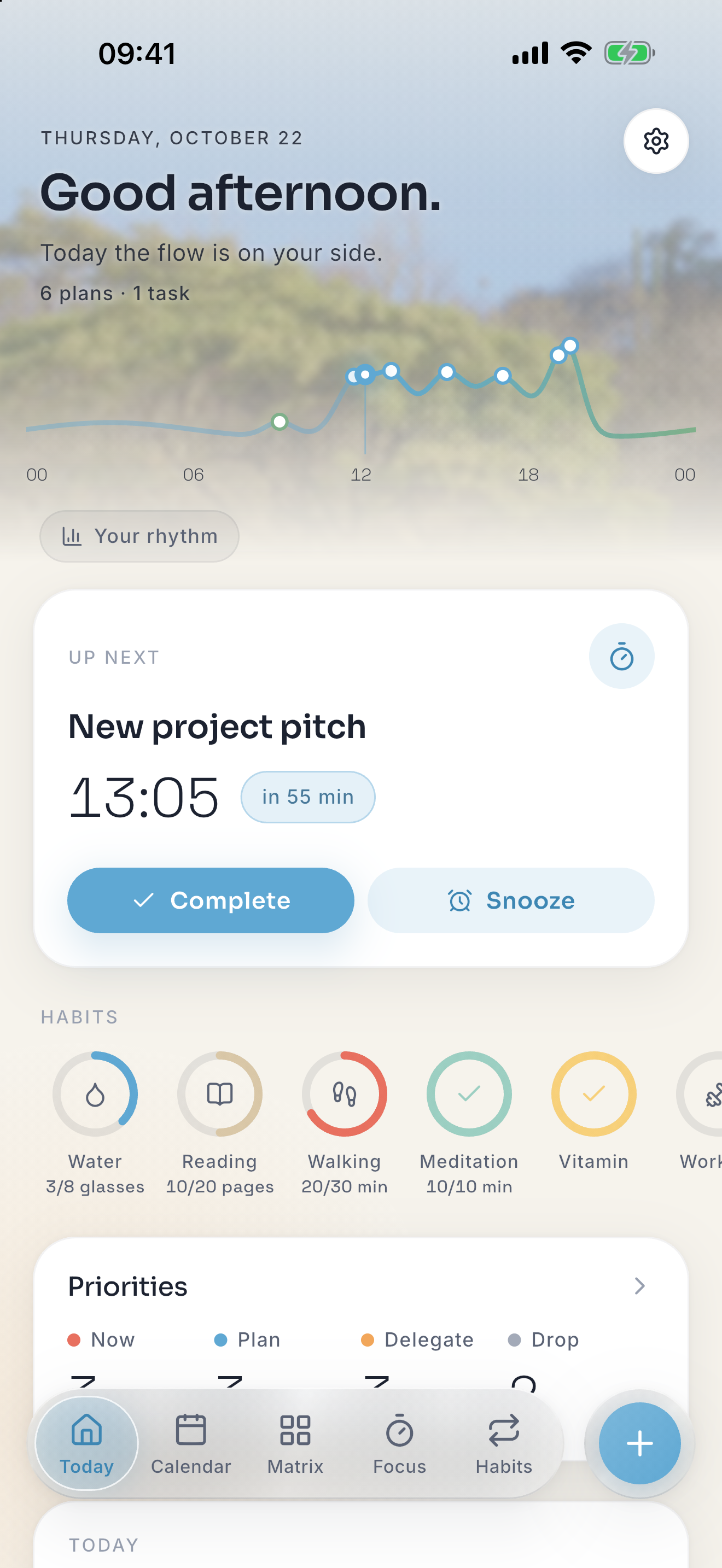
Calendar and daily agenda
Move between month, week and day views. See your plans in a daily agenda without empty time slots, and add notes when you need more detail. Use it for classes, appointments, work sessions or the plans that make a day your own.
Quick planning in your own words
Type a plan such as “dentist Thursday 3pm” instead of filling out every field. Natural-language quick add works in English, Turkish, Japanese, German, Spanish and French. Review the result to make sure it matches your intention.
Habit tracker without the pressure
Track the routines you want to return to: reading, studying, movement or a daily pause. Each habit is represented by a vessel that fills as you show up. Your rhythm matters more than a perfect streak.
Eisenhower matrix for priorities
Sort tasks by urgency and importance. Keep a deadline separate from something that matters but can be planned for later. The matrix helps you choose what deserves attention before you start filling the calendar.
Pomodoro timer for study and focus
Start a focused session with a water or sand timer and gentle ocean or wind sounds. Use focus time for a chapter, a revision session or one piece of work. A timer gives the session a boundary; you choose the task and the pace.
A simple planning routine
Look at your calendar, choose a priority in the matrix, then start a focus session. Return to your habits when it suits your day. These tools live in one app so you can combine them without maintaining several separate planners.
Private planning, without an account
Saved plans work offline. There is no sign-up, advertising or tracking. Your entries stay on your device and in your phone’s own backup. Voice input requires on-device recognition support for your language; typing remains available.
One-time purchase, no subscription
Try the full experience free for three days, then unlock it with a one-time purchase. The calendar stays free. Purchases and restoring purchases need an internet connection. Check Google Play for the price and availability in your country.